
Introduction: The Panic of the Blue Screen of Death (BSOD)
If your Windows PC suddenly freezes and shows a scary blue screen, you’re not alone. Many users in LIG Colony, Indore face this issue every month, and most of the time it comes from problems that can be fixed with a few simple steps. The Blue Screen of Death fix usually depends on understanding the real cause behind the crash — whether it’s related to BSOD error codes, a Corrupt driver updates fix, hardware issues like RAM fault testing, or even a need for quick LIG Colony computer repair when things go beyond DIY solutions. In this guide, you’ll learn the simplest and safest ways to solve BSOD problems at home before calling a professional.
What Is the BSOD and Why It Happens
The Blue Screen of Death fix starts with understanding the problem. A BSOD is a Windows stop error. It happens because of hardware issues, corrupt drivers, bad updates, or disk problems. In many homes in Indore, power spikes also damage parts and cause BSOD. Knowing the cause makes the Blue Screen of Death fix quicker and safer.
Common Stop Codes You Might See
Here are common BSOD error codes and what they usually mean.
| Stop Code | Simple Meaning |
|---|---|
| CRITICAL_PROCESS_DIED | Core Windows file is corrupt or missing. |
| MEMORY_MANAGEMENT | Faulty RAM or memory problem. |
| IRQL_NOT_LESS_OR_EQUAL | Driver conflict or bad driver update. |
| INACCESSIBLE_BOOT_DEVICE | Drive or SSD cannot be read. |
Top 7 Simple BSOD Fixes (Step-by-Step)
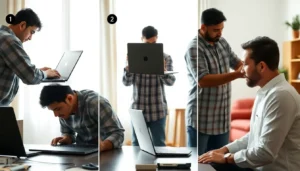
Fix 1: Boot into Safe Mode (First Step for Blue Screen of Death fix)
Safe Mode loads Windows with minimal drivers. So it helps when a driver or app causes the Blue Screen of Death. Follow these steps.
- Force shutdown as Windows tries to boot. Repeat 2–3 times to open Recovery.
- Choose Troubleshoot → Advanced Options → Startup Settings → Restart.
- Then pick Safe Mode from the list.
Once in Safe Mode, you can remove updates and faulty drivers. This step is central to any Blue Screen of Death fix. It often stops the error from repeating.
Fix 2: Undo the Last Change (System Restore)
If the BSOD began after an update or new app, System Restore can help. This is a safe Blue Screen of Death fix for many users.
- Open Control Panel → Recovery → Open System Restore.
- Pick a restore point from before the problem began.
- Follow the on-screen steps to restore your PC.
System Restore rolls back Windows files. It often removes the update or change that caused the stop error.
Fix 3: Check and Roll Back Drivers (Corrupt driver update fix)
Driver problems cause many BSODs. A corrupt driver update fix often solves IRQL and stop code errors. Do this in Safe Mode.
- Open Device Manager.
- Look for devices with a yellow warning sign.
- Right-click → Properties → Driver → Roll Back Driver if available.
- If roll back is not possible, choose Update Driver or uninstall the device temporarily.
After a roll back, restart your PC. This is a reliable corrupt driver update fix. If the BSOD stops, keep drivers updated only from trusted sources.
Fix 4: Run SFC to Scan for Corrupt Files (Blue Screen of Death fix step)
Corrupt system files cause CRITICAL_PROCESS_DIED and other errors. Use the System File Checker to fix them.
- Open Command Prompt as admin.
- Type
sfc /scannowand press Enter. - Wait until the scan finishes. Follow the prompts.
SFC will repair corrupted Windows files. This step is a simple Blue Screen of Death fix that helps many users in Indore.
Fix 5: Test RAM (RAM fault testing)
Memory problems show as MEMORY_MANAGEMENT errors. RAM fault testing identifies faulty modules.
- Search Windows Memory Diagnostic.
- Choose Restart now and check for problems.
- Let the test run and note any errors.
For desktops, reseat RAM sticks. Often a loose RAM module causes the BSOD. Running RAM fault testing is an essential step in the Blue Screen of Death fix process.
Fix 6: Check Disk Health (CHKDSK)
If the stop code is INACCESSIBLE_BOOT_DEVICE, run a disk check. This checks for bad sectors and file system errors.
- Open Command Prompt (Admin).
- Type
chkdsk /f /rand press Enter. - Restart the PC to let the tool run.
CHKDSK finds and fixes disk issues. This step often resolves boot device errors and completes a full Blue Screen of Death fix for disk-related problems.
Fix 7: Disconnect All External Devices
Unplug printers, USB drives, webcams, and other devices. Then restart the PC. Sometimes an external device causes driver conflicts and the BSOD. This simple step is part of a basic Blue Screen of Death fix routine.
Local Prevention for LIG Colony, Indore
Voltage fluctuation is common in many Indian neighborhoods. This can damage the motherboard, SSD, or RAM. So prevention is very important in LIG Colony.
- Use a quality UPS for desktops and important systems.
- Install a good voltage stabilizer where power is unstable.
- Keep the PC in a cool, dust-free place to stop overheating.
Taking these steps lowers the risk of hardware failure and reduces repeat BSOD events. A UPS or stabilizer is one of the best long-term Blue Screen of Death fix prevention measures for Indore users.
When to Call a Local Technician (LIG Colony computer repair)
Call a technician when basic fixes fail. Call a pro if:
- Your PC won’t enter Safe Mode.
- Diagnostic tools show hardware failure.
- The BSOD returns after fixes.
- Your PC shows strange noises or cannot boot at all.
A local LIG Colony computer repair technician can test parts, swap components, and diagnose complex issues on site. They can also rescue data before hardware replacement.
Quick Checklist: What to Note Before Calling for BSOD Repair
- Write down the Stop Code shown on the blue screen.
- Note when the error started (after update, power cut, new device).
- Try Safe Mode and basic scans (SFC, CHKDSK, Memory Diagnostic).
- Keep backup of important files if possible.
FAQs on Blue Screen of Death fix
How fast can a local BSOD repair be done in LIG Colony?
Minor fixes like driver roll back or System Restore can be done the same day. Hardware repairs may take longer if parts are needed. A local technician usually gives a time estimate after inspection.
Will I lose my files with a Blue Screen of Death fix?
Some fixes do not affect files, like Safe Mode or driver roll back. However, disk errors or hardware failure might risk data loss. So back up important files before major repairs.
Can a power spike cause the Blue Screen of Death?
Yes. Voltage spikes can damage sensitive components. In Indore, use a UPS or stabilizer to protect your PC from sudden voltage changes.
Is RAM replacement often needed after MEMORY_MANAGEMENT errors?
Sometimes. RAM fault testing will show if a module is bad. If tests fail, replacing the faulty RAM stick usually fixes the problem.
Does reinstalling Windows fix all BSOD issues?
Reinstalling Windows can fix corrupt system files and software conflicts. But it will not fix hardware faults. Use reinstalling as a later step if other fixes fail.
Conclusion
The Blue Screen of Death fix can be simple. Start with Safe Mode. Then try System Restore, driver roll back, SFC scan, RAM tests, and CHKDSK. Also unplug devices and protect your PC with a UPS in LIG Colony, Indore. If the error keeps returning, get expert help.
Tried all the steps but the Blue Screen keeps returning? Don’t risk your precious data! Contact Indore Tech Support for quick, expert BSOD repair and doorstep service in LIG Colony.
Related services: New Computer Setup | Software Setup & Installation
Further reading: Microsoft: Troubleshooting Stop Code Errors, Dell: Blue Screen Help

Leave a Reply
You must be logged in to post a comment.